Kyrio · Family calendar app

Shared family calendar app — every event, every member, one view

Most “family calendar” apps are just one Google calendar with a marketing page. Kyrio gives every family member a color, every event a clear owner, and every conflict a place to surface — without anyone having to install Google Calendar to see it.

  • Color-coded per-member events and conflict warnings
  • Imports your existing Google, iCloud, and Outlook calendars
  • Kid-friendly view that hides everything not theirs
  • Free on iOS and Android — no calendar paywall

Updated May 3, 2026

Kyrio shared family calendar with color-coded per-member events

One view that fits everyone, not just whoever sets it up

The reason most shared calendars fall apart is that they were set up by one parent for one parent. The other parent doesn’t check it. The kids can’t use it. It quietly becomes a personal calendar with extra steps.

Kyrio defaults to a per-member colour from the moment you add the second person. Every event carries its owner. The kid view is a flat list of just-their-stuff. The adult view is the full grid with optional filters. Same data, three real surfaces.
Per-member color coding on the Kyrio family calendar

Imports the calendars you already live in

We don’t want to be your only calendar. Kyrio reads from Google, iCloud, and Outlook so the school schedule, your work meetings, and your partner’s gym sessions all show up in one place — without you having to copy events.

Native two-way sync is on the roadmap; today the import is one-way and refreshes hourly. For most families that’s already enough to stop the “did anyone tell me about this?” argument at 7am.

Conflicts surface before they become arguments

When two events overlap on the same person — or when nobody is free to do the school pickup — Kyrio shows a small badge before you commit. It’s not nagging; it’s catching the moment one parent says “sure, sign her up” without checking the Tuesday schedule.

Pair this with our chore system and you get a single source of truth for every commitment in the house, plus the Wednesday-soccer reminder the 9-year-old needs.

A kid view that doesn’t need a separate account

Each child gets a profile inside one parent account, and the kid view shows just their events — soccer, the dentist, the friend’s birthday — in plain language with the times that matter to them. No work meetings, no parent-teacher dates, no doctor’s appointment they don’t need to see.

Older kids can subscribe their own iCal feed if they live in their phone calendar. Younger ones see Kyrio’s simplified view and that’s usually enough.

How Kyrio compares for this

FeatureKyrioCoziTimeTreeFamilyWall
Shared family calendarIn-app calendar with per-member color coding and events.YesYes

Color-coded per-member events, the flagship Cozi feature.

YesYes
Google / iCloud syncTwo-way sync with Google, iCloud, or Outlook calendars.Partial

One-way import today; native Google/iCloud two-way sync on the roadmap.

YesYesYes
Shared listsGrocery, to-do, or custom lists synced across the family in real time.YesYesNoYes
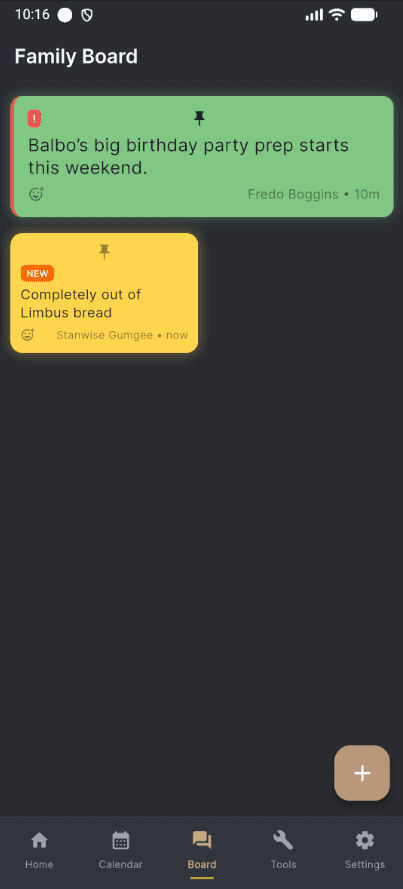
Family message boardShared board for notes, announcements, and quick communication.YesNoYesYes

Click any competitor name for the full feature-by-feature comparison.

Frequently asked questions

Does Kyrio replace Google Calendar?
It can, but it doesn’t have to. Kyrio reads your existing Google, iCloud, or Outlook calendar so events flow in automatically. Most families keep their personal calendar where it is and use Kyrio as the family-wide overlay everyone can see.
Is the calendar actually free?
Yes — color-coded events, calendar imports, conflict warnings, and the kid view are free on iOS and Android. No “Calendar Pro” tier. The features competitors paywall (recurring events, multi-member view) are in the free plan here.
How is this different from Cozi or TimeTree?
Cozi is a calendar-first app with chores bolted on as a basic checklist; TimeTree is calendar-only with a strong group-chat layer. Kyrio is calendar plus a real chore engine plus shared lists plus meal plan — same family-context, fewer apps. The full breakdown is in our Cozi comparison.
Can grandparents and co-parents see the calendar?
Yes. Multiple adults can join the same Kyrio family, useful for blended families, separated parents who share custody, or grandparents who handle pickups. Each adult sees the full grid with their own color.
Does it sync with school calendars?
If the school publishes an iCal/ICS feed (most do, especially in the US, UK, and Norway), Kyrio can subscribe to it. Updates from the school flow into the family calendar automatically.
What happens when someone declines a family event?
You see who’s in and who isn’t at a glance. Kyrio doesn’t do RSVP-style invitations because most family events don’t need one — but for the events that do (a Saturday dinner with grandparents, a school play), there’s a simple yes/no/maybe.
Will my data be sold or used for ads?
No. Kyrio is EU-hosted, GDPR-first, and doesn’t run ads or sell data to third parties. The business model is the optional paid add-ons you can see in the app — not your family’s schedule.